If you cannot name the next suburb
Territory intelligence · Australia
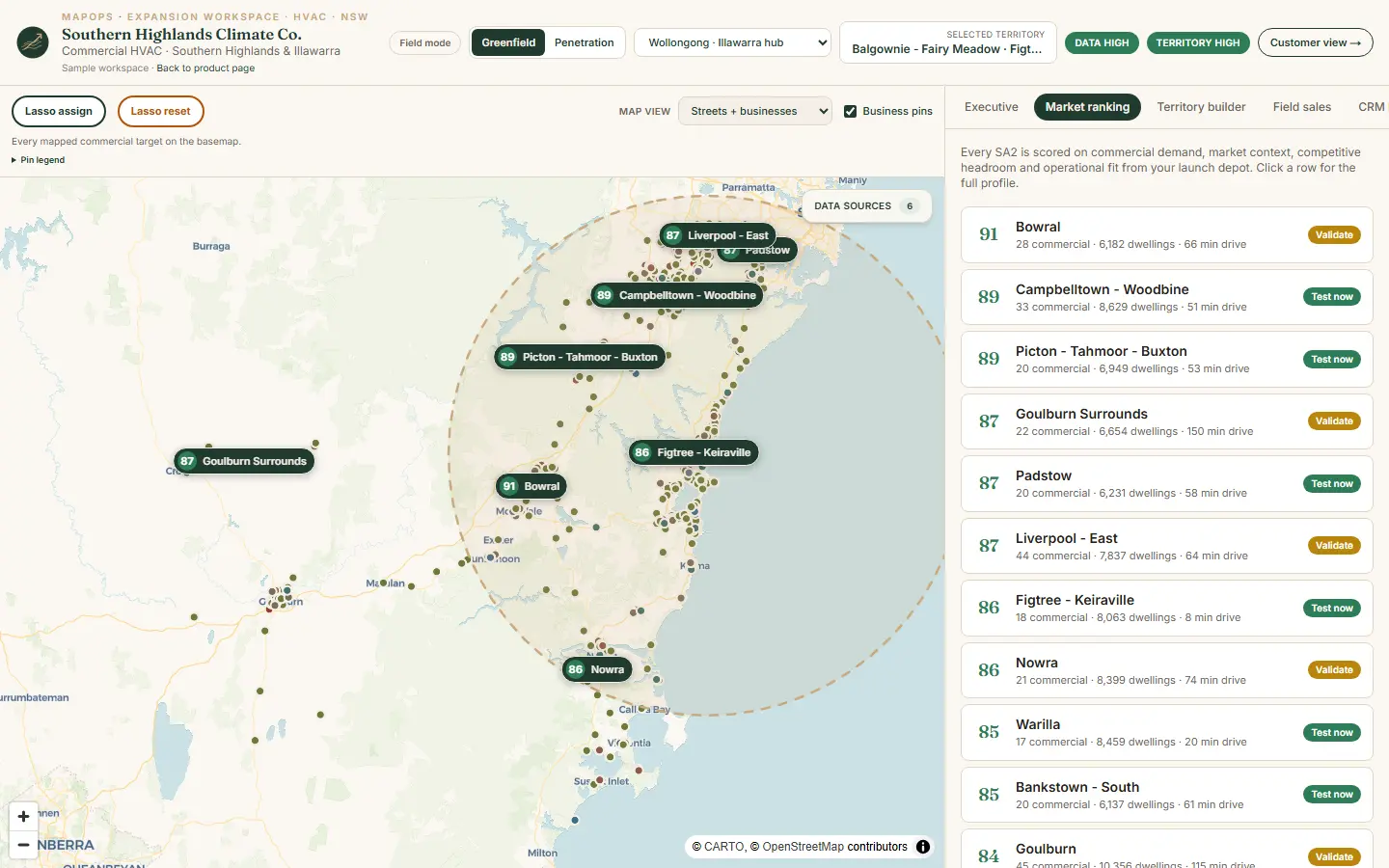
You send crews. You open depots. You fight over suburbs. MapOps shows which patch is worth it — then gives every rep the list and the story.
If you pick the next suburb in a meeting, you need a ranked map — not another spreadsheet argument.
If reps call whoever is closest, you need assigned patches and a scorecard that matches the map.
If the pitch sounds the same in every town, you need a local reason to knock on that door.
Live HVAC and solar on Illawarra NSW data. We open the product. No deck.
Example · Priority
Campbelltown corridor
Score 92 · 18 min from depot
Example pipeline
$1.4M
If you work this patch for 90 days
If this is your week
If you cannot name the next suburb
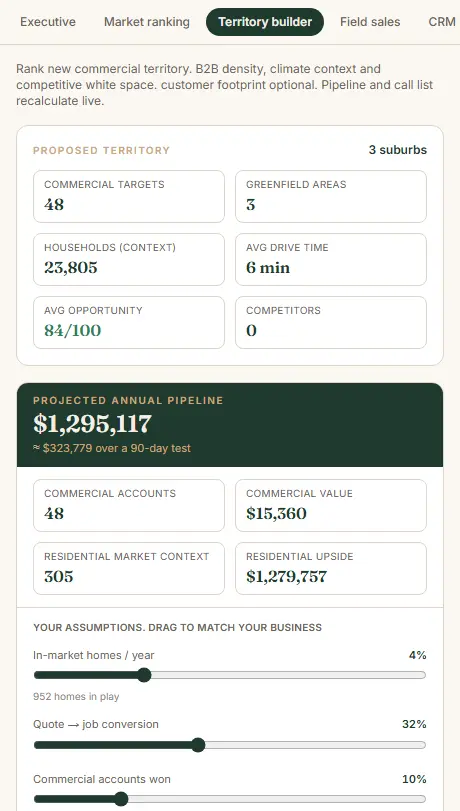
If you commit a crew before you cost the patch
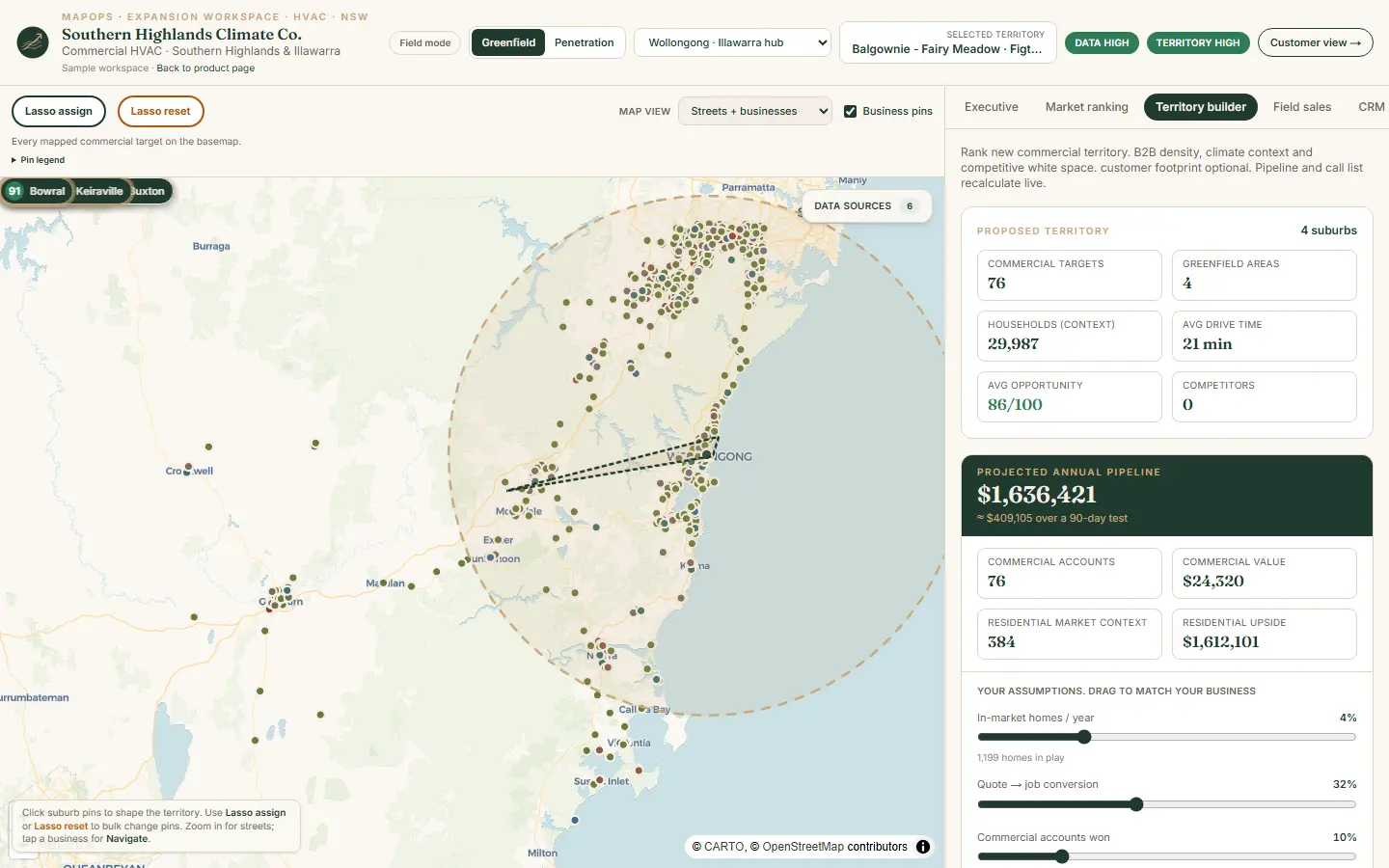
If nobody owns the street
If this is your trade
Live
Australian HVAC
If you sell commercial HVAC by suburb — you need MapOps.
Live
Solar & electrical
If you quote solar by rooftop and region — you need MapOps.
Example
Construction suppliers
If you supply job sites across a corridor — you need MapOps.
Example
Equipment hire
If yards live or die by drive time — you need MapOps.
If you need a decision this quarter
We rank it on real regional data — not a gut-feel debate.
Lasso the pocket. Every pin lands on a rep and the scorecard.
Call lists, local stories, and a 90-day test you can actually run.
If that sounds like you
If you sell by territory, book the walkthrough. We use live HVAC and solar data. No deck.
If you book, you will see
If you are not ready to book, send the brief.
Trade, region, and the suburb decision you are stuck on. Same-day reply.
Email contact@mapops.co30 minutes · no obligation · Australian team
If you are still deciding
If the CRM records what happened but cannot tell you which suburb to work next, you need MapOps. CRM stays the system of record. MapOps adds the map, the ranking, and the local story.
If that region still has the wrong suburbs, overlapping reps, or generic outreach, you need it. The Illawarra HVAC workspace is one region done properly — that is the point of the demo.
If leadership picks territories, managers assign work, and reps run the week, you need a shared map. MapOps is for that conversation — not another dashboard only one person can read.
If you sell by territory, we open live HVAC or solar data and walk your expansion question. If it is not a fit, we say so. No deck, no obligation.